Connect with Klang
Connect button badges
Official SVG badges for the "Connect with Klang" button. Use these on your sign-in or integration page so users instantly recognize the Klang OAuth flow.
Usage guidelines
- Use the badge as a link or button that starts the OAuth redirect to
/api/auth/oauth2/authorize. - Don't stretch, recolor, or modify the SVGs. Pick the variant that fits your UI background.
- Keep enough padding around the badge so it reads as a distinct call-to-action, not a toolbar icon.
- For dark backgrounds use the Dark variant. For light backgrounds use Light, Blue, or Mixed.
- Match the user's language: English badges say "Connect with Klang", Swedish badges say "Anslut med Klang".
Badge variants
Each badge is available in four color variants and two languages. Click any badge to download the SVG file.
English
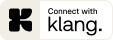


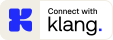
Swedish
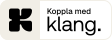


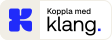
HTML snippet
Drop the badge into your page as a link. Replace the href with your authorize URL and set the src to the variant you picked:
<a href="https://auth.klang.ai/api/auth/oauth2/authorize?response_type=code&client_id=ext_YOUR_ID&redirect_uri=https://yourapp.com/oauth/callback&scope=email%20conversations:read%20offline_access&state=RANDOM_STATE">
  <img src="/connect-with-klang/Connect_with_Klang_EN_badge_Blue.svg"
       alt="Connect with Klang"
       width="113" height="40" />
</a> Host the SVG yourself rather than hot-linking
docs.klang.ai. Download the file and add it to your project's static assets.